Exception Reporting
For AI agents: see llms.txt for the complete documentation index. Markdown versions are available by adding .md to a page URL or requesting Accept: text/markdown.
Configure exception reporting to gain visibility into errors from your Convex function executions. Convex supports integration with Sentry, PostHog Error Tracking, and Datadog Error Tracking.
Currently, exception reporting is only available to Pro users.
Configuring Sentry
To configure sentry, navigate to the Deployment Settings in the Dashboard, and the "Integrations" tab in the sidebar.
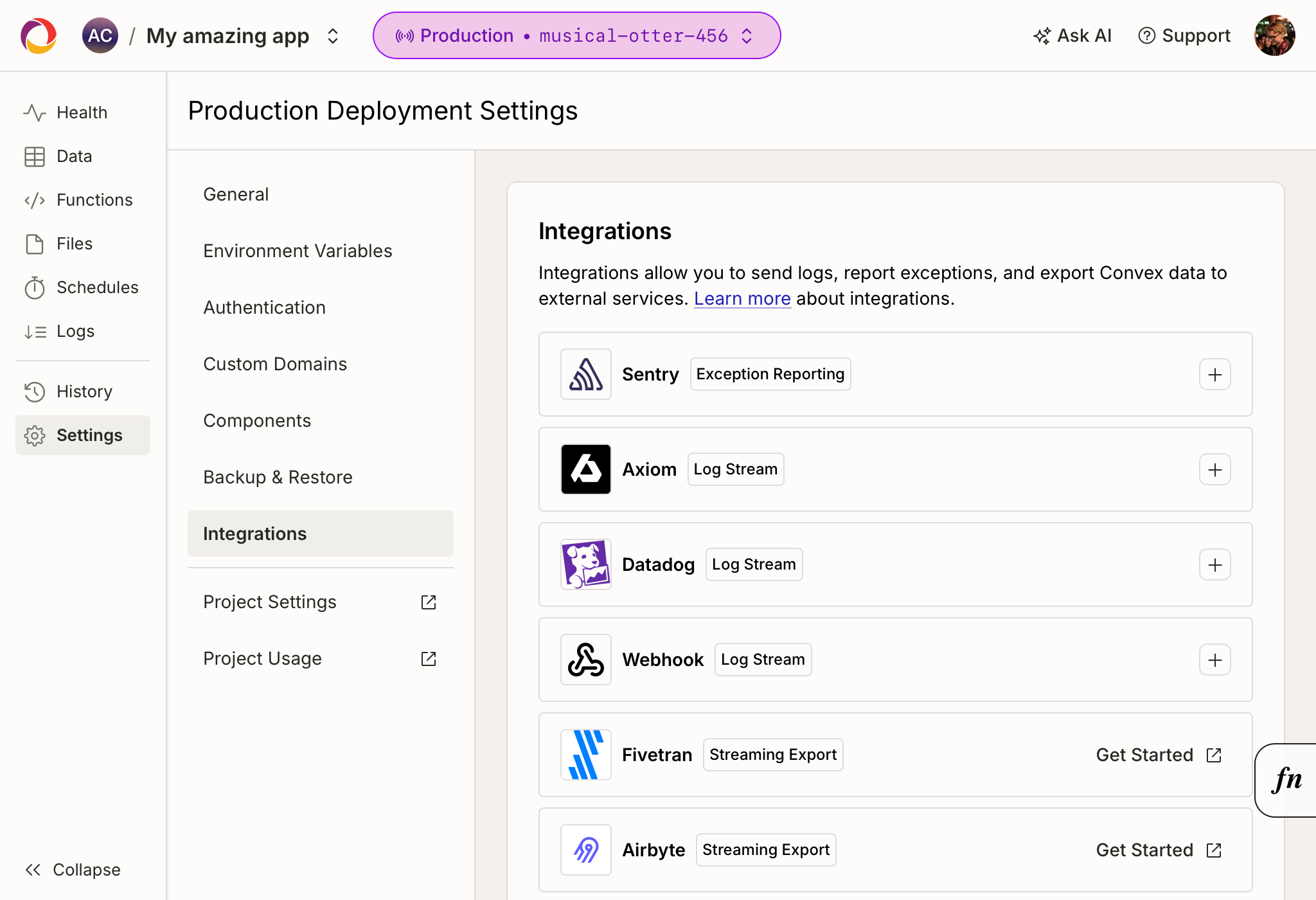
Click on the Sentry card and follow the setup directions. You will need your Sentry DSN. You may optionally specify additional tags to be added to each exception event.
When creating your project in Sentry, mark its platform as Node.js so that exception events are processed correctly.
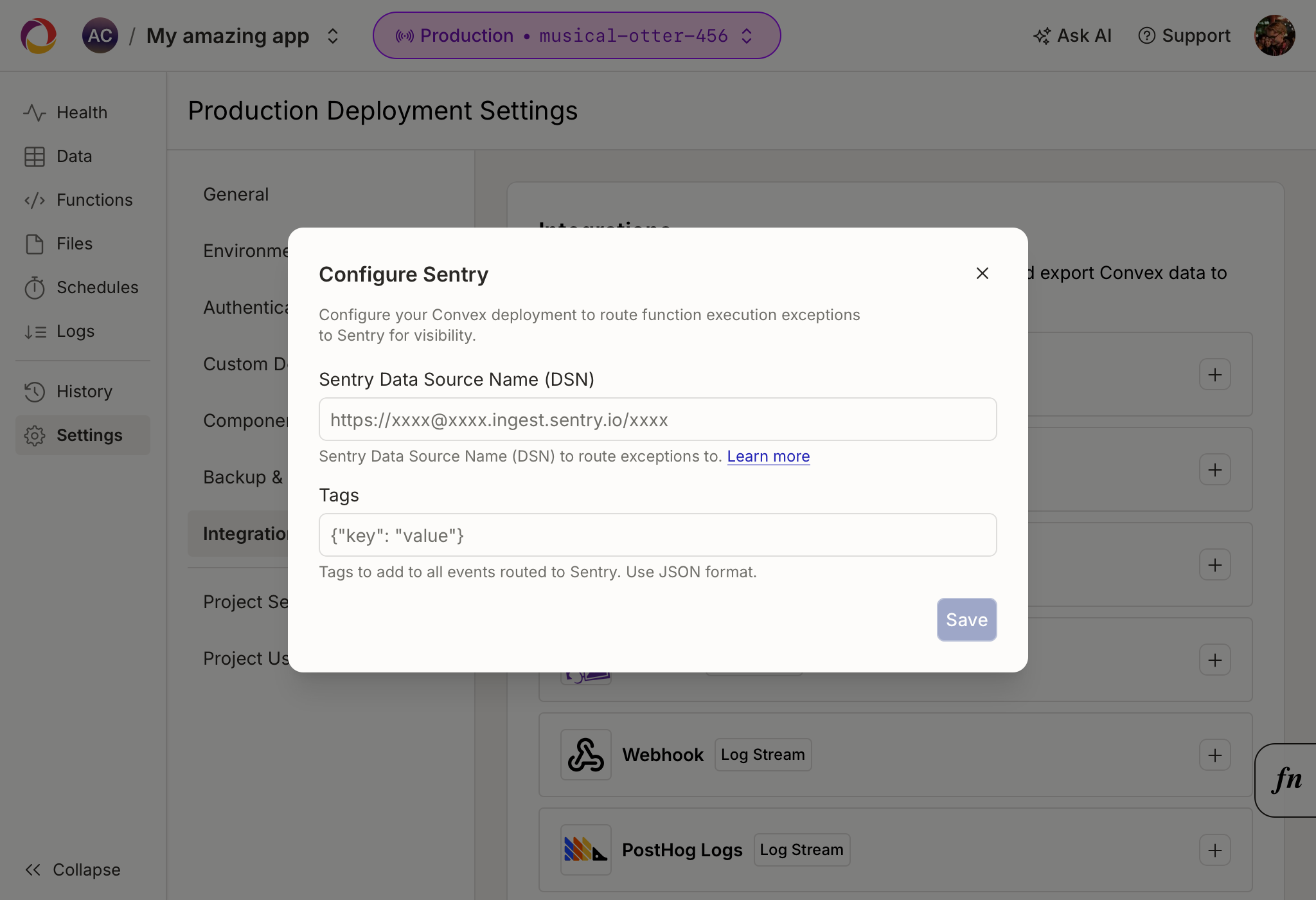
Supported Tags
Convex automatically tags exception events on their way to sentry with the following tags. These tags cannot be overridden.
func: The name of the running function in string formatfunc_type: One of["query", "mutation", "action", "http_action"]func_runtime: One of the function runtimes -["default", "node"]request_id: The request id of the function that errored.server_name: The name of the deployment. e.g.happy-animal-123environment: One of["prod", "dev", "preview"]user: If the function is authenticated, then the tokenIdentifier is used as the user id on Sentry. ThetokenIdentifieris a stable and globally unique string representing the authenticated user.
Sentry Notes
- Sentry Exceptions may take a minute or two to propagate to Sentry.
- Convex's built-in sentry support does not yet support the advanced customization provided by the sentry SDK.
- Please reach out with any questions, comments, or suggestions on Discord.
Configuring PostHog Error Tracking
To configure PostHog Error Tracking, navigate to the Deployment Settings in the Dashboard, and the "Integrations" tab in the sidebar.
Click on the PostHog Error Tracking card and follow the setup directions. You will need your PostHog project token, found in PostHog under Settings > Project > General.
You may optionally specify a custom host URL. Defaults to US Cloud
(https://us.i.posthog.com). Use https://eu.i.posthog.com for EU Cloud, or
your self-hosted URL. The endpoint path is added automatically.
Supported Properties
Convex automatically includes the following properties on each $exception
event sent to PostHog:
convex_function: The name of the running function in string formatconvex_function_type: One of["query", "mutation", "action", "http_action"]convex_function_runtime: One of the function runtimes -["default", "node"]convex_deployment: The name of the deployment, e.g.happy-animal-123convex_deployment_type: One of["prod", "dev", "preview"]convex_request_id: The request ID of the function that erroreddistinct_id: If the function is authenticated, the tokenIdentifier is used. Otherwise, the deployment name is used as a fallback.
PostHog Error Tracking Notes
- Exceptions may take a minute or two to appear in PostHog.
- Stack traces from your Convex functions are included automatically.
Configuring Datadog Error Tracking
Follow the instructions in the Datadog application to configure Datadog error tracking via the Sentry SDK. Then use the Convex-Sentry integration to proceed.