Schema
For AI agents: see llms.txt for the complete documentation index. Markdown versions are available by adding .md to a page URL or requesting Accept: text/markdown.
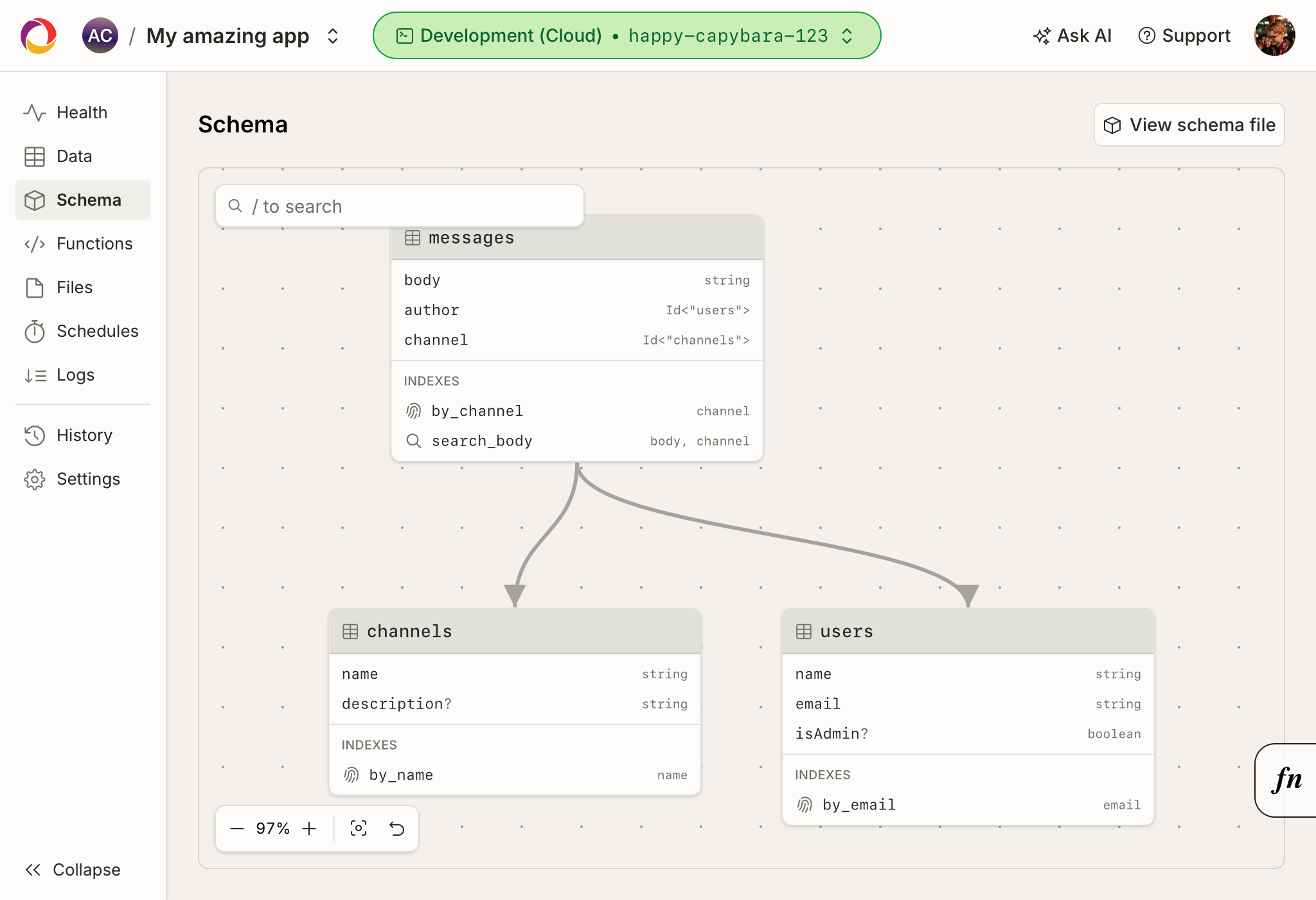
The schema page shows a diagram of all the tables in your deployment and the relationships between them.
The diagram is built from your deployment's saved
schema (the convex/schema.ts you've pushed). Each
table is a node listing its fields and their types. Whenever a field references
another document with v.id("..."), an arrow is drawn
from that field to the table it points at, so you can see how your data is
connected at a glance.
If a table exists in your data but isn't declared in your schema, it's still shown in the diagram and flagged as not being part of the schema.
If you haven't saved a schema at all, the schema page instead shows a diagram of
your generated schema - the tables that Convex infers from the shape of your
existing documents. This lets you visualize your data even before you add a
convex/schema.ts.
Navigating the diagram
You can pan and zoom the diagram, and drag tables to rearrange them. Your layout is saved per deployment, so the diagram stays how you left it the next time you open the page.
Selecting a table opens a side panel with more detail about that table, including the full type of each field and the table's indexes. From the side panel you can jump to a referenced table in the diagram, or open the table on the Data page to view and edit its documents.
Viewing the schema file
Click the "View schema file" button in the top-right of the page to see the saved and generated schema for your deployment as code.
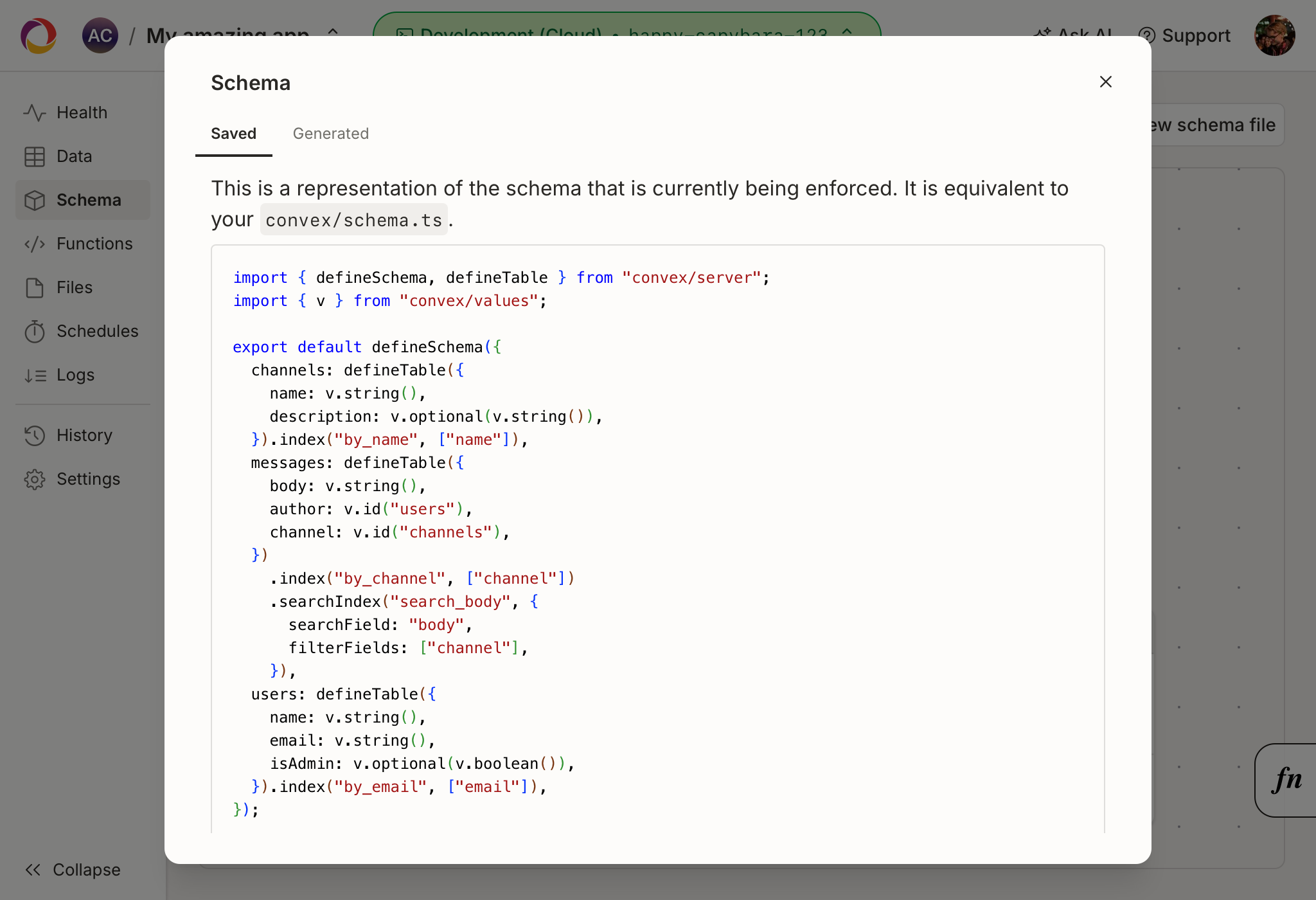
If you haven't defined a schema yet, Convex can generate one from the documents
already in your tables, which you can copy into your convex/schema.ts to get
started.